Prepare, audit, or revise Nature-ready Data Availability statements, data reposi
典型用途
科研论文投稿前,作者最头疼的环节之一就是数据可用性声明:要在 Nature 系刊规定的字数与措辞里,把每个数据集的访问路径、存储仓库与 accession 号交代清楚,又不能把涉及隐私或第三方限制的数据写得过满。如果说明写得含糊,很容易在编辑或审稿环节被退回;如果不分场景一律写成"data are available upon reasonable request",又会被认为不符合共享原则。
Claude Code 不能直接使用 scripts/update-codex-skills.sh,因为这个脚本只负责同步到 Codex 的 ~/.codex/skills/。用于 Claude Code 时,推荐保留一个稳定的本地 clone,再用 subagent 或 slash command 指向真实的 skills/*/SKILL.md。这样不会破坏技能目录结构,也能继续读取 references/、static/、manifest.yaml、脚本、资产和 skills/nature-shared/。
如果还没有安装 Claude Code:
npm install -g @anthropic-ai/claude-code
claude
先把仓库 clone 到一个稳定路径:
mkdir -p ~/ai-skills
cd ~/ai-skills
git clone https://github.com/Yuan1z0825/nature-skills.git
推荐方式:为常用技能创建 Claude Code subagent wrapper。以 nature-reader 为例:
mkdir -p ~/.claude/agents
cat > ~/.claude/agents/nature-reader.md <<'EOF'
---
name: nature-reader
description: Use for Chinese-English paper reading, figure-aware translation, and source-grounded paper notes.
---

When invoked, first read `~/ai-skills/nature-skills/skills/nature-reader/SKILL.md` and follow it as the governing workflow.
Read supporting files from `~/ai-skills/nature-skills/skills/nature-reader/` and `~/ai-skills/nature-skills/skills/nature-shared/` only when needed.
Do not replace this skill with a generic paper-reading response.
EOF
然后开启新的 Claude Code 会话,直接请求使用这个 subagent:
Use the nature-reader subagent to turn this paper into a Chinese-English Markdown reader.
如果你更喜欢 slash command,也可以创建命令 wrapper:
mkdir -p ~/.claude/commands
cat > ~/.claude/commands/nature-reader.md <<'EOF'
Read `~/ai-skills/nature-skills/skills/nature-reader/SKILL.md` first and follow it strictly.
Read directly needed supporting files from `~/ai-skills/nature-skills/skills/nature-reader/` and `~/ai-skills/nature-skills/skills/nature-shared/`.

$ARGUMENTS
EOF
# `nature-<topic>` Skill
[中文说明](README.md)
One sentence describing the skill's role, main task, and usage boundary.
## What To Use It For
## Typical Requests
## What You Need To Provide
## Outputs
## Boundaries
## Related Skills
可选章节必须中英文同步插入,并保持相同顺序。常见可选章节包括:
中文章节
英文章节
使用场景
## 工作方式
## Workflow
需要解释核心流程或路由方式
## 运行和依赖
## Runtime and Dependencies
有脚本、MCP、API key、本地配置或外部依赖
## 示例预览
## Example Preview
有少量图件、截图或可视化资产值得展示
## 内置参考
## Built-In References
需要指向 references/、assets/ 或 demo
## 方法来源
## Method Sources
写作、审查或分析规则来自特定来源
## 三种模式
## Three Modes
技能有清晰的 compose/revise/hybrid 等模式
## 与 ... 的关系
## Relationship With ...
容易和另一个技能混淆,需要说明分工
提交前至少做这些 README 检查:
python scripts/validate-readmes.py
git diff --check
for d in skills/nature-*; do
[ -f "$d/README.md" ] && [ -f "$d/README_EN.md" ] || continue
rg -q '^\[English\]\(README_EN\.md\)$' "$d/README.md"
rg -q '^\[中文说明\]\(README\.md\)$' "$d/README_EN.md"
test "$(rg -c '^## ' "$d/README.md")" = "$(rg -c '^## ' "$d/README_EN.md")"
done
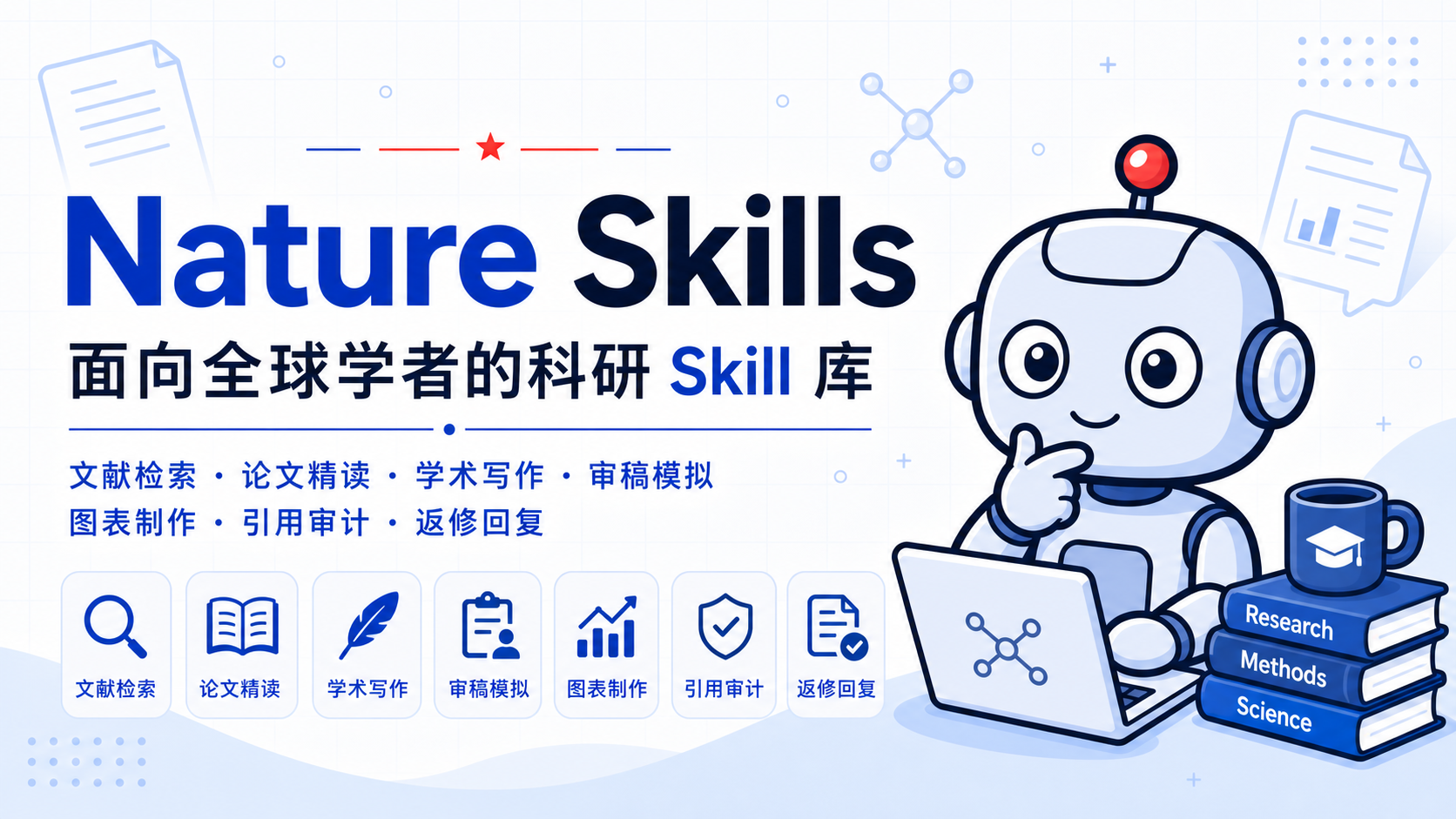
nature-skills collects reusable research skills for AI scholars worldwide, with an emphasis on real problem solving, verifiable workflows, and research outputs that can be used directly.
Hello, I am Yizhe Yuan, the founder of nature-skills. Thank you for following this project. We have published many video tutorials on Douyin; search by topic name to find them, and I sincerely hope they help with real research work.
1.2 Knowledge Planet
Knowledge Planet name: Nature Skills and the Philosophy Behind It.
1.3 Nature AI GPT / Claude Top-ups and Ready-Made Accounts
We carefully screen service channels and provide legitimate top-up channels and
support. Visit Nature AI Recharge Card Store:
Recently, I noticed that the Nature Skills design has drawn attention from
Google DeepMind and has been referenced by them. They drew on its citation
system, script ideas, and skill-design philosophy to launch Science Skills. To
be honest, this makes me pleased: when leading international AI institutions
begin to draw inspiration from our work, it means original ideas from Chinese
developers are being seen by the world. This is not a feeling of loss from
being copied, but a sign of Chinese strength taking root in open source and
naturally growing outward.
The focus of our skill design has never been to require every user to fully
master the whole philosophy. The point is that the philosophy itself can be
understood and reused by machines. If you want to create a new skill or adapt
this system to your own field, you can give the Nature Skills GitHub repository
to Codex and let it learn the design pattern, then help you create or modify a
skill. This is how ideas become operational rather than remaining oral
explanations.
The real value of Nature Skills may not be limited to any individual module.
It may be that the project has quietly opened a new door: many people realize
for the first time that Codex or other agents can operate a local computer for
research. I have been fortunate to witness and accompany many people through
this shift in research workflow. When they say, "so research can be done this
way," that break in understanding and liberation of thought matters more to me
than the skills themselves. This is not merely the success of a tool, but the
beginning of a new way of thinking spreading among people.
In practice, almost every useful tool can be distilled into a standardized
process, and standardized processes can be packaged as reusable skills.
3.2 Tutorials and Community
Follow Douyin for video tutorials
Agent Research Community
Yuan's personal WeChat
4. Quick Start
After installation, you can give the agent a paper, paragraph, reviewer letter,
or task description directly. These prompts are ready to copy:
Goal
Prompt
Read a paper / bilingual reader
Turn this PDF into a figure-aware Chinese-English Markdown reader.
Generate a paper presentation
Create a Chinese journal-club PPT from this paper, keeping key figures and source labels.
Polish or translate a manuscript paragraph
Rewrite this Chinese paragraph into Nature-style academic English without changing the meaning.
Draft an abstract, introduction, or discussion
Using these results and figures, draft a Nature-style abstract and introduction.
Simulate pre-submission review
Evaluate this manuscript from a Nature reviewer perspective, produce three mutually blind reviewer reports, and synthesize them only after all are final.
Respond to reviewer comments
Use this revision email to draft a separate point-by-point response for each mutually blind reviewer and a cover letter, and mark redline locations in the revised manuscript.
Search literature, strict citations, and citer profiles
Create a table with this paper's citation count, strict external citation count, DOI, and whether major scholars or Fellows cited it.
Create scientific figures or schematics
Use this method and result description to draft a publication-ready scientific figure or manuscript schematic.
If you are unsure which skill to use, describe the task naturally. If you already
know the skill name, explicitly say "use nature-reader" or "use
nature-response" in the prompt.
5. Installation
nature-skills is a collection of reusable skill packages organized around
SKILL.md. Each top-level skill directory under skills/ is an installable unit,
such as nature-*; nature-shared is an installable support package read by
other skills.
5.1 npx skills Installation
Install Node.js 18 or later first. The CLI does not need
to be installed globally. List the skill names available in this repository:
npx skills add Yuan1z0825/nature-skills --list
Start with the skills needed for the current task and include their shared dependencies.
Omit --global for project-local installation; add it when the skill should be available
across projects. For example:
Pass the frontmatter name displayed by --list to --skill; for example, the
nature-proposal-writer directory is currently listed as researchwrite.
npx skills manages skill files only. Optional Python, R, browser, and MCP
runtime dependencies still need the separate setup described below.
5.2 Claude Code Installation
Claude Code cannot use scripts/update-codex-skills.sh directly because that
script only syncs skills into Codex's ~/.codex/skills/. For Claude Code, keep a
stable local clone and create a subagent or slash command wrapper that points to
the real skills/*/SKILL.md. This preserves the skill directory structure and
lets the workflow keep using references/, static/, manifest.yaml, scripts,
assets, and skills/nature-shared/.
If Claude Code is not installed yet:
npm install -g @anthropic-ai/claude-code
claude
Clone the repository to a stable path:
mkdir -p ~/ai-skills
cd ~/ai-skills
git clone https://github.com/Yuan1z0825/nature-skills.git
Recommended method: create a Claude Code subagent wrapper for the skills you use
often. Example for nature-reader:
mkdir -p ~/.claude/agents
cat > ~/.claude/agents/nature-reader.md <<'EOF'
---
name: nature-reader
description: Use for Chinese-English paper reading, figure-aware translation, and source-grounded paper notes.
---
When invoked, first read `~/ai-skills/nature-skills/skills/nature-reader/SKILL.md` and follow it as the governing workflow.
Read supporting files from `~/ai-skills/nature-skills/skills/nature-reader/` and `~/ai-skills/nature-skills/skills/nature-shared/` only when needed.
Do not replace this skill with a generic paper-reading response.
EOF
Then start a new Claude Code session and ask for the subagent explicitly:
Use the nature-reader subagent to turn this paper into a Chinese-English Markdown reader.
If you prefer a slash command, create a command wrapper instead:
mkdir -p ~/.claude/commands
cat > ~/.claude/commands/nature-reader.md <<'EOF'
Read `~/ai-skills/nature-skills/skills/nature-reader/SKILL.md` first and follow it strictly.
Read directly needed supporting files from `~/ai-skills/nature-skills/skills/nature-reader/` and `~/ai-skills/nature-skills/skills/nature-shared/`.
$ARGUMENTS
EOF
Use it inside Claude Code:
/nature-reader Turn this paper into a full Chinese-English side-by-side Markdown reader.
To install other skills, replace nature-reader with the target directory name,
such as nature-polishing, nature-writing, nature-reviewer,
nature-response, or nature-figure. To update later:
cd ~/ai-skills/nature-skills
git pull
As long as the wrapper still points to this stable clone path, no repeated file
copy is needed.
Auto-Update (Optional)
If you want Claude Code to pull upstream updates automatically on every session
start, use scripts/autoupdate-skills.sh together with a SessionStart hook.
This approach copies the skills straight into ~/.claude/skills/ (Claude Code
auto-discovers that directory and loads each skill by its directory name) instead
of using the wrappers above. Pick whichever one you prefer.
Keep a dedicated stable clone (used only to sync skills — don't make dev
commits inside it):
async: true runs it in the background so it never blocks startup. The script is
safe to run constantly: it skips the network if it already checked within the last
hour, silently skips when offline or the pull fails (exit 0, never stalling a
session), re-syncs when the upstream HEAD changes or the installed copy drifts, and refuses to
fast-forward a clone that has uncommitted changes. New skills take effect on the
next session (the current one already loaded its skills). Each destination
has a separate log at
~/.local/state/nature-skills/<destination-id>/autoupdate.log.
The destination and check interval are both configurable:
# Defaults to ~/.claude/skills; use --dest for another location, e.g. Codex:
~/ai-skills/nature-skills/scripts/autoupdate-skills.sh --dest ~/.codex/skills
# Check the network at most once per hour; still verify the local install each run:
~/ai-skills/nature-skills/scripts/autoupdate-skills.sh --throttle 3600
5.3 Codex Installation
Use the repository script when installing or updating the complete skill collection. It syncs every
top-level skill directory under skills/ and verifies the copied contents with
diff. It does not overwrite unrelated Codex skills. For a selected subset, use
the npx skills installation above.
git clone https://github.com/Yuan1z0825/nature-skills.git
cd nature-skills
scripts/update-codex-skills.sh --pull
If you already have a clone:
cd nature-skills
scripts/update-codex-skills.sh --pull
Verify that the current Codex installation matches this checkout:
scripts/update-codex-skills.sh --check
If you use this script for long-term updates and want to remove directories that
were previously managed by this installer but no longer exist upstream:
scripts/update-codex-skills.sh --pull --prune
--prune only removes directories recorded by this installer. It will not guess
or delete unrelated skills.
You can also ask Codex to install the repository for you:
Install Codex skills from this repository:
https://github.com/Yuan1z0825/nature-skills.git
Clone the repository, run scripts/update-codex-skills.sh --pull, and then run
scripts/update-codex-skills.sh --check to verify the installation. Keep complete
skill directories under skills/; do not copy only SKILL.md.
To install only one skill, specify the skill name:
Install only nature-reader from this repository:
https://github.com/Yuan1z0825/nature-skills.git
If the skill needs shared files, install skills/nature-shared as well.
Key rule: keep the full directory structure. Many skills depend on
references/, static/, manifest.yaml, scripts, assets, or shared files.
The installer does not install Python dependencies automatically. Install them
only when you need the corresponding scripts or MCP services:
If you enable nature-paper-to-patent CNIPA published-patent search, also run python -m playwright install chromium.
nature-academic-search also requires PUBMED_EMAIL. Optional Scopus,
ScienceDirect, and other provider credentials should be configured locally and
must not be committed to the repository.
After installation, start a new Codex session and describe your task naturally,
for example:
Turn this paper into a full Chinese-English side-by-side Markdown reader.
Codex supports a global SessionStart hook. With a dedicated clone, it can check
for updates whenever a Codex session starts or resumes and sync new versions into
~/.codex/skills/.
Create the dedicated clone and perform the initial sync:
If hooks.json already contains other hooks, merge the SessionStart entry
instead of replacing the file. After enabling or changing the hook, run /hooks
in Codex to review and trust it. Codex currently runs command hooks synchronously,
so this setup relies on the script's built-in 1-hour throttle, 60-second network
guard, and offline-safe exit to avoid repeated network checks or blocking startup
when an update cannot be fetched. Even when upstream is unchanged, the script
verifies the destination and repairs detected drift.
Each destination has a separate log at
~/.local/state/nature-skills/<destination-id>/autoupdate.log. Newly fetched
skills normally take full effect in the next session.
5.4 Chatbox Installation and Usage
Chatbox desktop provides a graphical Skills manager. Use a version with a Settings → Skills entry; this section applies to the desktop app.
Install from GitHub
Open Settings → Skills in Chatbox and click Install from GitHub.
Paste https://github.com/Yuan1z0825/nature-skills and click Scan.
Select the skills you need and click Install Selected. For a first try, choose nature-polishing and nature-shared; use Select all if you want the full collection.
Check the result under Installed Skills and make sure the skills you want to use are enabled.
nature-shared is a shared support package. Install it alongside skills that reference it, including nature-polishing, nature-writing, nature-response, nature-reader, and nature-paper2ppt; do not invoke it as a standalone task. Installing one skill does not automatically install other skill dependencies. The list may show frontmatter names: for example, nature-proposal-writer appears as researchwrite.
Start using the skills
Create a conversation, select a model that supports tool calling, and enable Agent Mode. Paste your text into the conversation and name the skill explicitly. For example:
Use nature-polishing to rewrite the following Chinese paragraph in Nature-style English.
Preserve its academic meaning, numerical values, and limits on conclusions.
List the main changes and explain the reasons:
[Paste your manuscript paragraph here]
For paper reading, install nature-reader and nature-shared, provide the paper file or an accessible local path, and ask:
Use nature-reader to turn this paper into a Chinese-English Markdown reader
with aligned figures and text. Preserve equations and source anchors,
and save the deliverables to my specified output directory.
Check the skill-loading and tool-execution records in the conversation to confirm that the intended skill was loaded. If it does not trigger, check the skill toggle, Agent Mode, and whether the selected model supports tool calling.
Runtime dependencies and updates
Installing skills adds instructions and supporting files. Configure Python/R, PDF/PPTX tools, browsers, and MCP services according to each skill's documentation. For local files or scripts, grant the required directory and command access when Chatbox prompts you. External services such as image generation require their own credentials. A successful skill installation does not mean these external capabilities are configured.
Use Check Update in a skill's action menu and follow the prompts to update it; also check nature-shared when it is a dependency. If GitHub scanning or downloading fails, download and extract this repository through Code → Download ZIP, click Open Skills Folder in Chatbox, and place the complete skill directories and nature-shared alongside one another in that folder. Refresh the skill list and enable them. Preserve references/, static/, scripts, and assets; do not copy only SKILL.md. For manual copies, match the directory name to the name in SKILL.md (for example, name the nature-proposal-writer directory researchwrite). Manually copied skills require manual updates.
5.5 Other Agent Scenarios
For OpenClaw, OpenCode, and Hermes, see the dedicated integration guide.
For other agents, keep a stable repository clone and create a lightweight
subagent, slash command, or custom prompt wrapper that points to the real
skills/*/SKILL.md files. Preserve skills/nature-shared/.
For manual or other-agent use:
Copy complete skill directories into your prompt library or project.
If the target agent has its own format requirements, adjust the frontmatter
and body structure.
6. Skill Index
The current skills/ directory contains the following triggerable skills.
skills/nature-shared/ is shared content and is not counted in the skill index. Click a skill name or the "Details" link to open its dedicated documentation page.
Skill
Status
Purpose
Example Triggers
Details
Stable
Submission-grade Python or R scientific figure workflow for Nature / high-impact journals, with Results-level multi-panel evidence architecture, a render-time panel-alignment gate, automatic final-PDF text/graphic collision QA, separately noticed third-party figures4papers references, original templates, and OpenRouter GPT Image 2 schematic drafts
Read one paper closely enough to retell the authors' reasoning: the real starting point, load-bearing versus decorative design, formulas grounded in worked examples, and the evidence boundary
"paper x-ray", "close reading", "deep read", "how did the authors get here", "explain this paper"
Beta
Translate a full English paper PDF or selected pages into a Simplified Chinese image-based A4 PDF with a page-by-page check note
"paper translation", "translate paper PDF", "nature paper trans"
Beta
Deep-read one paper into a source-grounded Sections 01–16 Paper Card covering method logic, experiment-to-claim evidence, conclusion boundaries, critical analysis, and testable research ideas
Generate Chinese PPTX journal-club or paper-presentation decks from research papers
"paper PPT", "journal club", "paper to slides", "paper presentation"
Beta
Reconstruct slide images, scanned PDFs, and image-only PPTX files as object-level editable PowerPoint with rendered QA
"image to editable PowerPoint", "reconstruct slide screenshot", "scanned PDF to PPTX", "editable PPT"
Beta
Generate evidence-constrained Chinese invention patent drafts and support patent-point mining, prior-art search, and iterative technical disclosure drafting
Prefer primary sources: rules should be grounded in published Nature
content, official journal guidance, or explicit local sources rather than
generic taste.
Make rules explicit: explain the reason behind each rule instead of
giving unsupported assertions.
Respect section and task context: writing, figures, citations, and
responses depend on the manuscript section and task.
Output first: every skill should produce something directly usable, such
as paste-ready text, .svg, .pptx, .docx, or concrete instructions.
Keep skills extensible: each skill should be self-contained, and adding a
new skill should not require modifying existing skills.
When adding a skill to this repository, follow this process.
1. Create the skill directory
skills/nature-<topic>/
2. Add required files
File
Required
Purpose
SKILL.md
Yes
Frontmatter (name, description) plus rules and workflow loaded by the agent
README.md
Yes
Human-facing Chinese documentation
README_EN.md
Yes
English documentation paired with the Chinese details page
references/*.md
Recommended for complex skills
Modular rule files, API references, design theory, tutorials, chart types, and similar material
3. Write the Chinese and English READMEs
Every new skill must include both README.md and README_EN.md. The README is a human-facing entry page, not a duplicate of SKILL.md and not an installation manual. Its job is to help users decide within 30 seconds whether the skill fits their task, what they need to provide, what it will output, and where its boundaries are.
Basic rules:
The Chinese and English README files must be one-to-one mirrors: same heading count, same order, and same information points. Do not let the English page become a separate template.
Start with the skill name, language switch link, and one positioning sentence.
Use the base structure below by default; add optional sections only when they are genuinely needed.
Do not repeat repository installation instructions, author bios, changelogs, development history, full file trees, or long internal implementation details inside a single skill README.
Put complex rules, API parameters, long tutorials, script explanations, and template indexes in references/, static/, scripts/, or SKILL.md. Keep only navigational pointers in the README.
If the skill has visual assets, a small preview table is fine; do not turn the README into a large gallery or long technical manual.
# `nature-<topic>` Skill

[中文说明](README.md)

One sentence describing the skill's role, main task, and usage boundary.

## What To Use It For
## Typical Requests
## What You Need To Provide
## Outputs
## Boundaries
## Related Skills
Optional sections must be inserted in both languages and in the same order. Common optional sections:
Chinese Section
English Section
Use Case
## 工作方式
## Workflow
Explain the core workflow or routing behavior
## 运行和依赖
## Runtime and Dependencies
Scripts, MCP services, API keys, local config, or external dependencies
## 示例预览
## Example Preview
A few figures, screenshots, or visual assets are worth showing
## 内置参考
## Built-In References
Point to references/, assets/, or demos
## 方法来源
## Method Sources
Writing, review, or analysis rules come from specific sources
## 三种模式
## Three Modes
The skill has clear compose/revise/hybrid-style modes
## 与 ... 的关系
## Relationship With ...
The skill is easy to confuse with another skill and needs a division-of-labor note
Before submitting, run at least these README checks:
python scripts/validate-readmes.py
git diff --check
for d in skills/nature-*; do
  [ -f "$d/README.md" ] && [ -f "$d/README_EN.md" ] || continue
  rg -q '^\[English\]\(README_EN\.md\)$' "$d/README.md"
  rg -q '^\[中文说明\]\(README\.md\)$' "$d/README_EN.md"
  test "$(rg -c '^## ' "$d/README.md")" = "$(rg -c '^## ' "$d/README_EN.md")"
done
4. Record a usage tutorial
When submitting a PR, please also record a short usage tutorial explaining what
problem the skill solves, how to trigger it, what inputs it needs, and what
outputs it produces. Add the video, screencast link, or public tutorial URL to
the PR description.
5. Configure SKILL.md frontmatter
---
name: nature-<topic>
description: >-
  One sentence explaining what the skill does, when it should trigger, primary
  outputs, and core use cases.
---
6. Update the skill index
After adding a skill, update the Skill Index table: