Hand-drawn Style & Layout Prompter for AI Image Generation
Struggling to describe art styles? Trouble structuring visual layouts? Simply pick an index number to generate highly recognizable AI image prompts.
This repository curates 331 distinct hand-drawn illustration styles (supporting both FA~FH category IDs and legacy 001–331), 165 composition layout patterns (SC-* Social Cards, IG-* Infographics, SB-* Comic Storyboards, IP-* IP Design, EC-* E-commerce), and 36 curated classic monochrome colors (C-01–C-36).
Whether you are crafting social media post covers, educational infographics, architectural comparisons, or multi-panel narrative comics, you no longer need to memorize obscure art history terminology or struggle with complex compositions. Simply choose a style number, layout ID, and theme color, supply your topic, and instantly get verified, high-fidelity bilingual prompts ready to paste into Midjourney, DALL-E 3, Flux, Stable Diffusion, or any other image generator.
[!NOTE]
📢 Open Source & Attribution Notice
You are welcome to freely use, modify, and commercialize this project.
The only small request: if this project helps you, or if your project is based on secondary development of this work, please retain author yang0 and the original repository link (https://github.com/yang0/handraw-style). Thank you for your support and respect for open source!
💡 Entrepreneurship & Monetization: Continuously updated real-world case studies and revenue strategies shared by the community
🌟 Core Pain Points & Solutions
Creator Pain Point
How This Library Solves It
Vague style descriptions lead to style drift
Numbered Indexing: 331 systematically categorized illustration styles (dual-indexed by FA~FH categories and 001–327), eliminating guess-and-pray prompting.
Monotonous composition; hard to format complex graphics
165 Layout Compositions: 21 Social Cards, 35 Infographics, 68 Comic Storyboards, 13 IP Design, 24 E-commerce ready out-of-the-box.
Chaotic color palettes lack a cohesive tonal mood
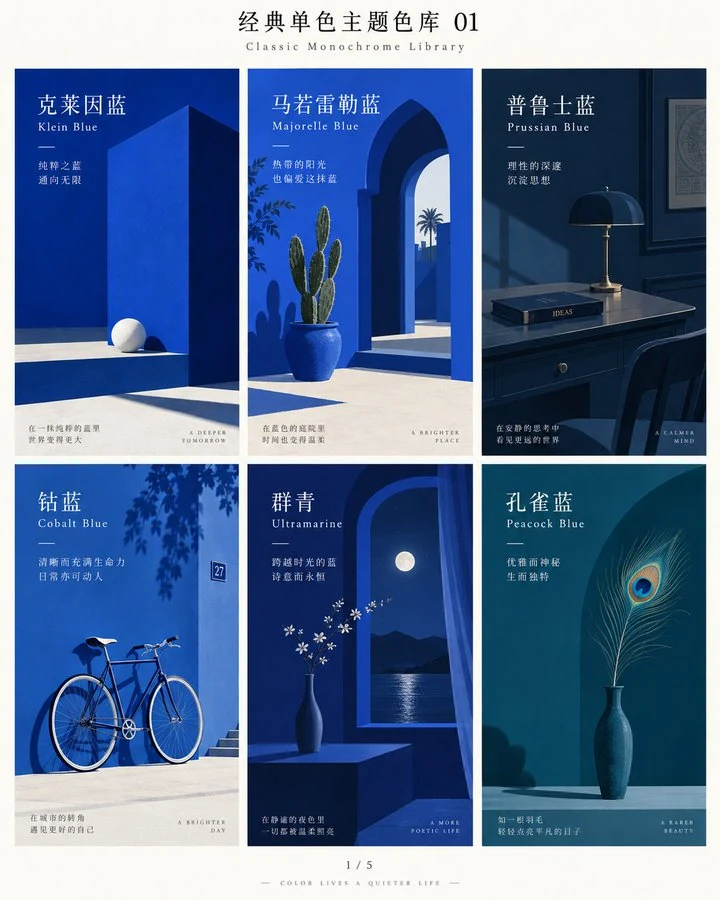
36 Curated Monochrome Colors: Klein Blue, Sage Green, Hermes Orange, Payne's Grey, etc., setting pure and sophisticated tones with one click.
Text disconnects from art; awkward typography placement
Dual-Mode Workflow: Seamlessly toggle between "Pure-Image Mode" (pure illustration) and "Graphic-Text Mode" (unified visual-textual composition).
Models ignore style keywords or lack style fidelity
Tiered Model Adaptation & Fallback: Calibrated keyword activation for native models; automatic Reference Image Fallback (4-grid sheets) for all third-party models.
Boring article covers with disconnected visuals
Article & Video Cover Designer: Automatically extracts ~200-word core summary & audience persona from articles or video subtitles, matches styles & colors, prioritizes visual metaphor, and injects viral click-worthy directives for video covers.
Article Illustration Planner & Backfill: Visual editorial judgment for 2–5 high-value inflection points, unified single style & color across the piece, automated batch image generation, and precision Markdown insertion.
Chaotic photo shoot planning & generic AI portraits
Editorial Photography & Spacetime Orchestration: Supports 10+ genres (couples, weddings, portraits, families, etc.), proposing 3 high-contrast spacetime plans in copyable code blocks with 8-grid keywords for one-click generation.
🎯 Target Audiences & Use Cases
Content Creators & Influencers: Social media covers (Xiaohongshu, Instagram, X/Twitter), newsletter hero images, viral quote cards.
The assistant will automatically clone the repository and configure all styles, layout templates, and reference assets.
How to Use This Skill
1. Smart Recommendation Mode (Zero Friction: No IDs Required)
If you don't want to browse through indexes, simply describe what you want to illustrate! The Skill analyzes your theme's mood, domain, and context, then automatically pairs the best-matching hand-drawn style with an optimal classic monochrome theme color (including an aesthetic rationale):
Zero-parameter prompt: Generate a prompt for a healing illustration of a cat sunbathing on a windowsill, pick the style and theme color for me (can combine)
Completion: If you specify only a style (e.g., Style FC-029 / 276, Theme: Future of AI), the Skill auto-recommends a harmonious color (e.g., C-01 Klein Blue). If you specify only a color, it auto-recommends a fitting style.
2. Precise Manual Selection Mode (Choose Specific IDs)
Note your chosen ID, such as style FB-006 (or legacy 041), layout SC-001, or theme color C-01;
Send your prompt command to the Skill, for example:
Style only: Style: FB-006 (041), Theme: First milk tea of autumn
Layout + Style: Layout: SC-001, Style: FB-006 (041), Theme: First milk tea of autumn
With Theme Color: Layout: SC-001, Style: FB-006 (041), Color: C-01, Theme: First milk tea of autumn
Receive clean, copyable bilingual prompts with precise style definitions, layout geometry, and unified color palette;
Copy and paste into Midjourney, DALL-E 3, Stable Diffusion, Flux, or any image generator to create your artwork.
3. AI Poster Design Mode (Structured Prompts, Native Integrated Layout)
Need to design festival campaign visuals, key art, or editorial social media posters? Simply tell the Skill your poster theme!
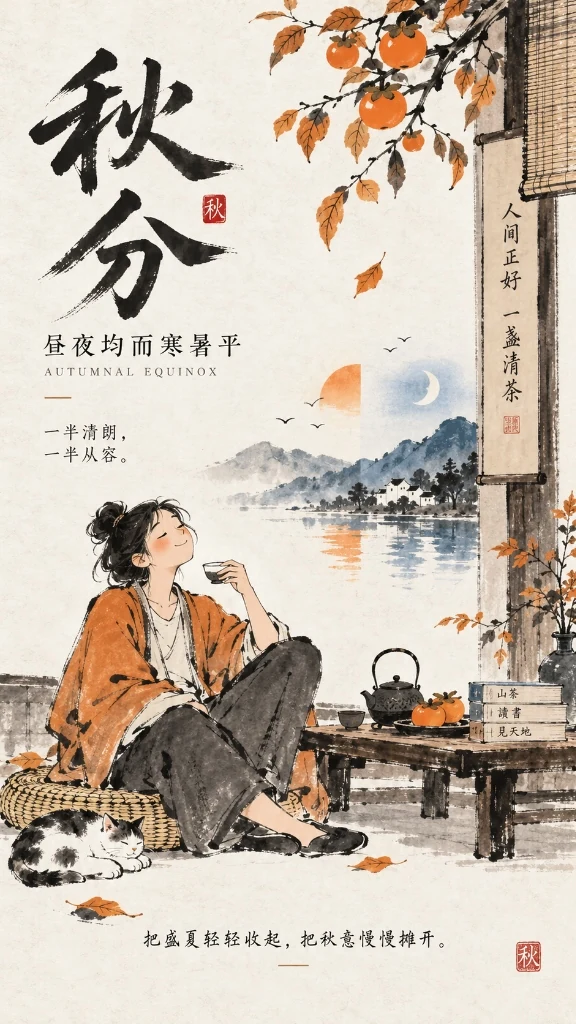
Prompt Command: 请帮我出海报提示词, 主题:秋分 (or Generate a poster prompt for me, Theme: Autumn Equinox)
Intelligent Synergy: The Skill analyzes the concept and pairs the best-matching hand-drawn style (e.g., #FE-053 (#268) · Contemporary Literati Ink Cartoon) with classic theme colors (e.g., Dominant: C-26 Persimmon Orange + Accent: C-03 Prussian Blue). It outputs clean, structured prompts across 8 core design dimensions (Theme, Scene, Audience, Density, Mood, Palette, Editorial Style, Hand-Drawn Style) with typography-composition integration guidelines.
Real Generation Showcase: Passing the prompt directly to an image generation model (e.g., GPT Image 2/2.5) yields seamless native typographic layout and artistic metaphor fusion—large-character calligraphy title, poetic couplet inscriptions, seal stamps, balanced day-and-night imagery, and relaxed literati ink brushwork:
Real Generation Case: Style #FE-053 (#268) Contemporary Literati Ink Cartoon + C-26 Persimmon Orange (Dominant) / C-03 Prussian Blue (Accent)
4. Pro Tips: The Universal Poster Mindset (Treat Infographics as High-Density Posters)
Feeling constrained by pre-canned infographic layouts? Don't let rigid grids trap your imagination!
The essence of an infographic is an information-dense visual poster. Simply tell the Skill your time slots, core metrics, steps, and usage scenarios; the model natively weaves timeline nodes, scenery illustrations, and typography into a cohesive editorial layout:
Finished writing an article or editing a video and need a high-CTR, tasteful cover? Simply send your text or subtitle file to the Skill!
Target Scenarios: WeChat Official Account covers (recommended 2.35:1 or 21:9), X/Twitter article covers (5:2), Xiaohongshu covers (3:4), Video covers / Bilibili / YouTube / Short video covers (landscape 16:9, portrait 9:16 or 3:4).
Prompt Commands:
Article: Please design a cover for this article: [paste article text or provide local file path d:\path\to\article.md]
Video/Subtitles: Please design a video cover: [paste subtitle text or provide .srt/.vtt file path]
Automated Workflow:
Core Summary Extraction: Distills a ~200-word essence of key arguments, narrative hooks, and takeaways;
Audience Persona Inference: Evaluates knowledge depth and motivation to construct target audience profile;
Style & Color Pairing: Recommends the optimal match from 327 hand-drawn styles and 36 classic monochrome palettes (e.g., #FA-018 (#018) Minimal Deadpan Dialogue Cartoon + C-01 Klein Blue);
Native Metaphor & Viral Directives:
Article Covers: Injects the proven editorial instruction—"Design a visual metaphor first, then generate the image. Ensure the main title is bold and prominent, with few or no small text. Pick the rest of the design for me.";
Video Covers / Subtitle Input: Mandatorily injects—"Video cover design, high clickability and viral internet appeal, visually captivating and eye-catching. Design a visual metaphor first, then generate the image. Ensure the main title is bold and prominent, with few or no small text. Pick the rest of the design for me.";
Dual-Track Delivery Guidance:
Track A (Manual Generation): Copy the generated bilingual prompts into your favorite image tool;
Track B (Fully Automated): Simply reply "Auto generate cover", and the Skill will call the image generation tool to produce the cover visual directly.
Walls of text cause reader fatigue and drop-offs; yet hunting for stock photos leads to disjointed art styles and frustrating formatting. This mode offers an end-to-end editorial pipeline: "Editorial Point Selection → Unified Style & Color → Batch Generation → Automated Markdown Insertion":
Prompt Command: Please plan and generate illustrations for this article: [paste article text or provide local file path d:\path\to\article.md]
Automated Workflow:
Visual Editorial Judgment: Rejects robotic paragraph-by-paragraph illustration. Understands narrative tension and conceptual complexity to pinpoint 2–5 high-value inflection points (thesis statement, abstract metaphor, structural diagram, climax, or concluding takeaway);
Unified Single-Style & Single-Color Harmony: Locks the entire article to a single hand-drawn style (e.g., #FC-029 (#276) Contemporary Literati Ink) and color palette (e.g., C-01 Klein Blue), formatted in an editorial standard 4:3 aspect ratio (with customizable whitespace: normal / moderate / generous);
Structured Plan & Prompts: Specifies exact insertion anchor points, illustration purpose, image type (editorial illustration, conceptual diagram, metaphorical illustration, etc.), visual concept, and ready-to-use bilingual prompts;
Dual-Track Delivery Closed Loop:
Track A (Manual Generation & Backfill): Generate images with your preferred tool, then paste them or provide local paths; the Skill automatically inserts them after the correct anchor paragraphs in Markdown;
Track B (Fully Automated Generation & Insertion): Simply say "Auto generate and insert"; the Skill sequentially generates all illustrations and triggers its built-in Python insertion engine to produce the completed, formatted Markdown document (e.g., article_illustrated.md).
Say goodbye to cheap snapshot looks and generic AI portraiture! Whether planning couple sessions, wedding shoots, solo portraits, family portraits, ancient Hanfu, or travel snapshots, the system plans spacetime coordinates, styling, and cinematography to editorial studio standards:
Applicable Genres: Couple photography, wedding shoots, solo portraits, family portraits, ancient Hanfu, New Chinese, vintage HK style, cosplay, travel snapshots, executive portraits, etc.
Prompt Command:
Photography mode, please first propose 3 candidate directions for me to choose from, shoot type: couple(Or toggle to "Photography" mode in the web prompt assembler tutorials.html; theme is optional, AI will curate 3 diverse spacetimes if unstated)
Automated Workflow & Core Highlights:
Strict 3-Option Proposal First: Proposes 3 candidate directions with dramatic geographical and worldview contrast (2 modern real-world landmarks + 1 time-travel / historical / future / fictional universe); never automatically decides for the user;
Per-Participant Styling & Makeup Decisions: Details participant relationships, individual distinct wardrobes, and finalized Editorial hair & makeup (female subjects default to soft-focus studio retouch, preserving authentic skin texture and natural lighting);
Self-Contained Code Blocks with 8-Grid Keywords: All 3 plans are fully encapsulated inside independent text code blocks (```text) ending with the generation keyword 出8宫格图片。;
Flexible Dual-Track Generation:
【One-Click Copy & Generate】: Click the copy button on any code block to grab the full prompt, then paste into Midjourney, Flux, or any image generator;
【Reply A / B / C for Instant Generation】: Reply A, B, or C in chat, and the AI immediately generates the 8-grid sample image for that direction without waiting through tedious planning documents!
Two Prompt Modes, Instant Switching
Any number and theme can seamlessly toggle between two modes without changing your style:
Pure-Image Mode (纯图模式): Let the theme dictate pure pictorial content without in-image text. Ideal for pure illustrations, wallpapers, book covers, and concept art. Example: Pure-image mode, Style: FB-006 (041), Theme: First milk tea of autumn
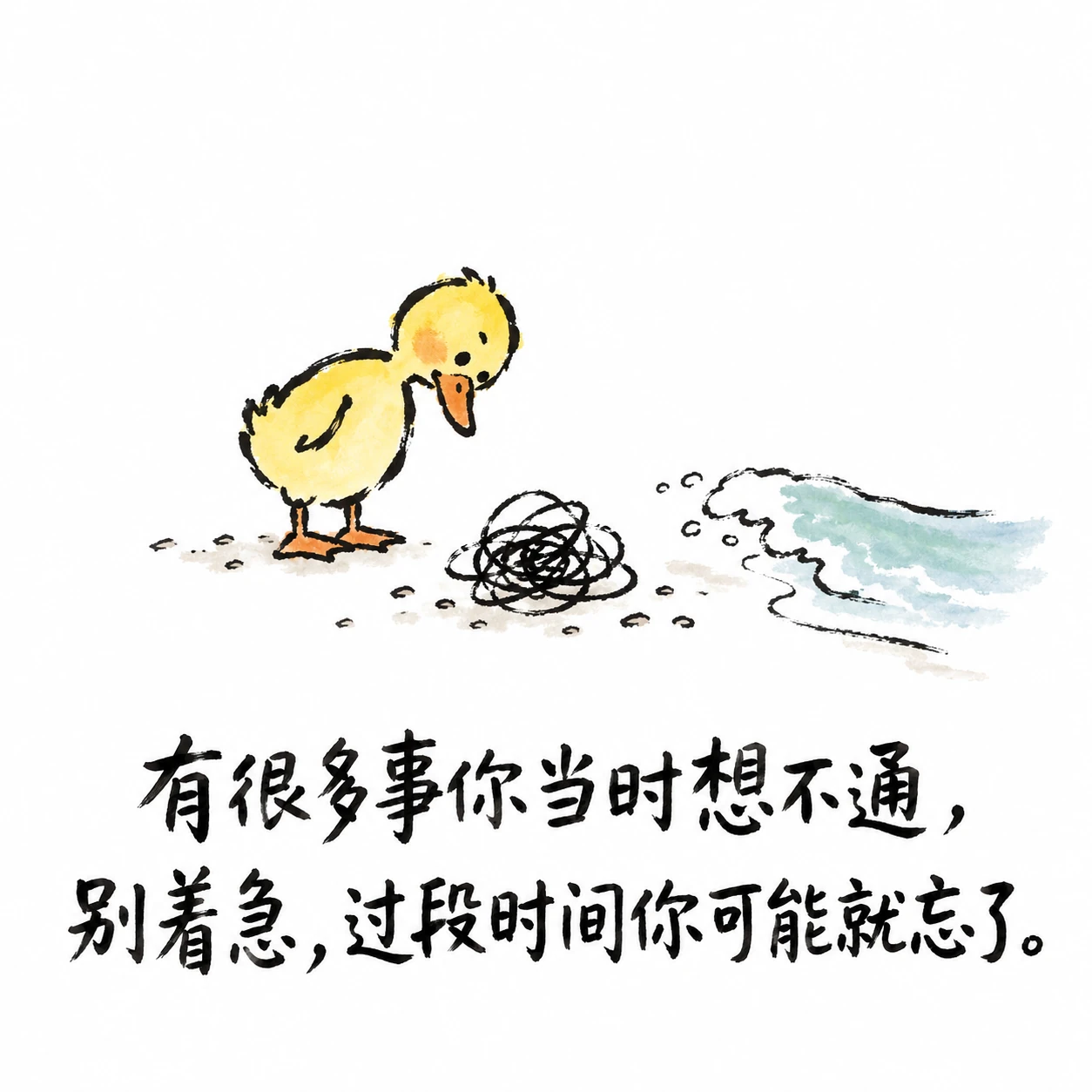
Graphic-Text Mode (图文模式): Preserves your copy text and guides the AI to design metaphors and integrate typography harmoniously into the visual composition. Ideal for quote posters, meme graphics, and social cards. Example: Graphic-text mode, Style: FE-052 (267), Theme: There are many things you couldn't figure out back then. Don't worry, give it some time and you might just forget about them.
Switch modes anytime by typing "switch to pure-image mode" or "switch to graphic-text mode". Defaults to pure-image mode when unstated.
Graphic-Text Mode Demonstration
The illustration below shows text integrated harmoniously with the visual composition (this is a conceptual demonstration and not tied to any single number):
Model Adaptation Mechanism
By default, the Skill crafts copyable prompts. When you explicitly request image generation, it optimizes the output based on verified model capabilities:
Explicitly Calibrated Models (e.g., gpt-image-2): Full activation hierarchy for all 331 styles: Style/Author Name → Positive Core Traits → Reference Image only when traits alone cannot reliably trigger the style, avoiding unnecessary image passing that might over-constrain the composition.
Third-Party & General Models (Midjourney, Flux, Stable Diffusion, Imagen, Gemini, etc.): Employs the rock-solid Reference Image Fallback strategy. The Skill provides a 1024x1024 4-grid standard reference image or file path, ensuring 100% faithful reproduction of linework, texture, and color palette without prompt drift.
Open for Community Benchmarks: Capability definitions reside in skills/handdraw-style-prompter/references/model_capabilities.json. Pull requests for other model evaluations are warmly welcomed!
Three Quick Examples
Style: FB-006 (041), Theme: First milk tea of autumn
Style: FE-041 (210), Theme: Little boy lighting firecrackers in the snow
Style: FH-039 (193), Theme: Tang Dynasty Night Banquet
Featured Styles Preview
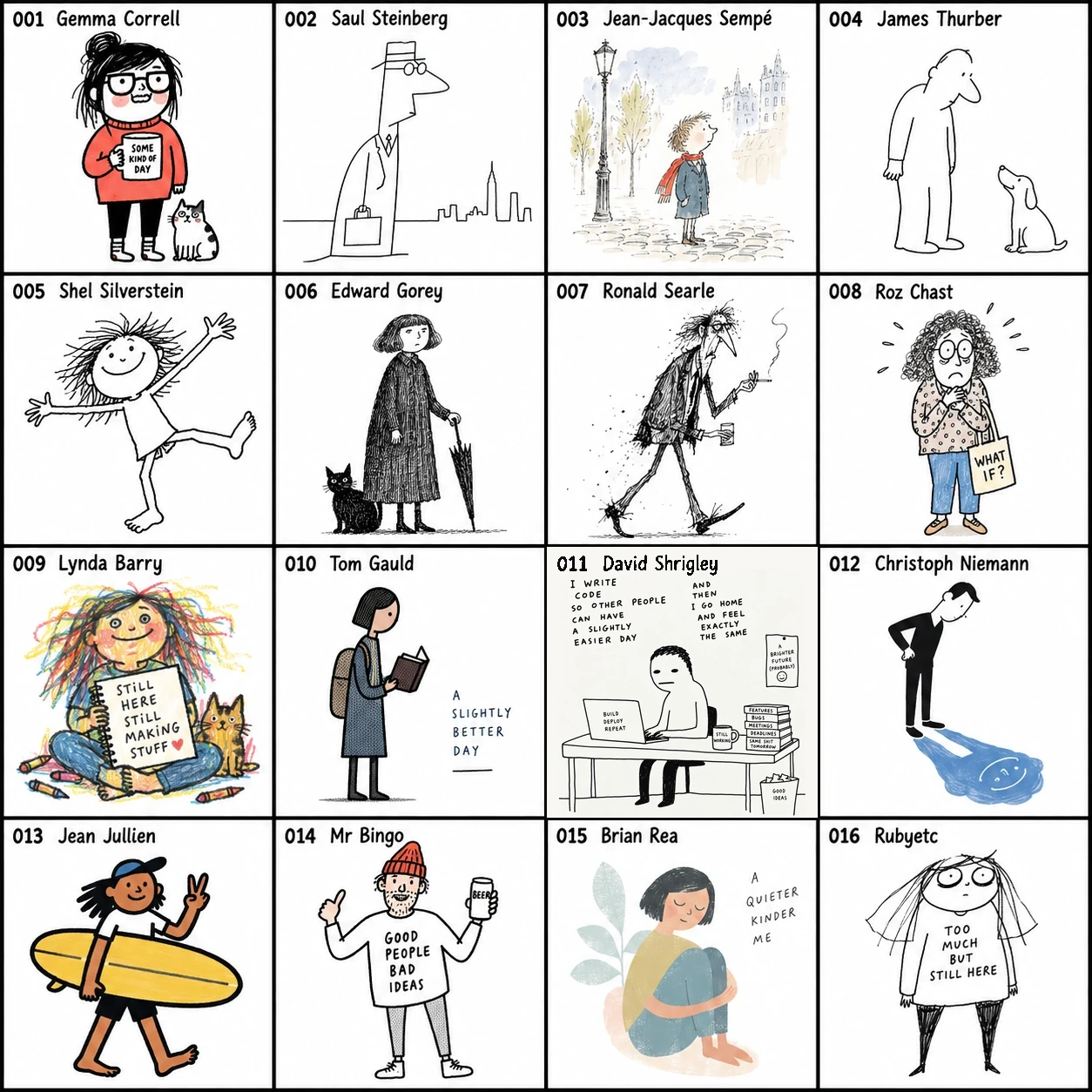
Here is a contact sheet preview of featured hand-drawn illustration styles (FA-001–FA-016, formerly 001–016):
💻 (For offline interactive search and enlargement, open skills/handdraw-style-prompter/gallery/index.html in your local browser)
Layout Compositions Showcase
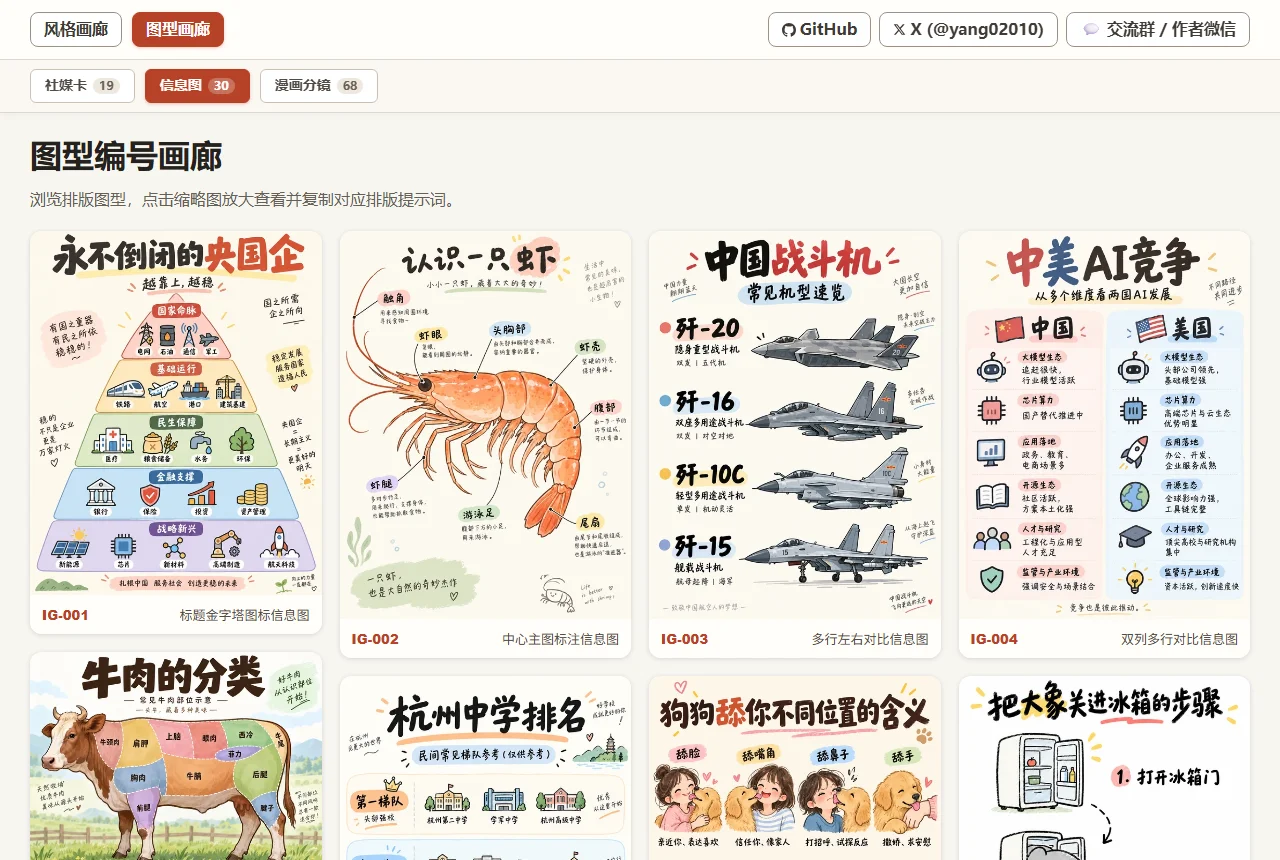
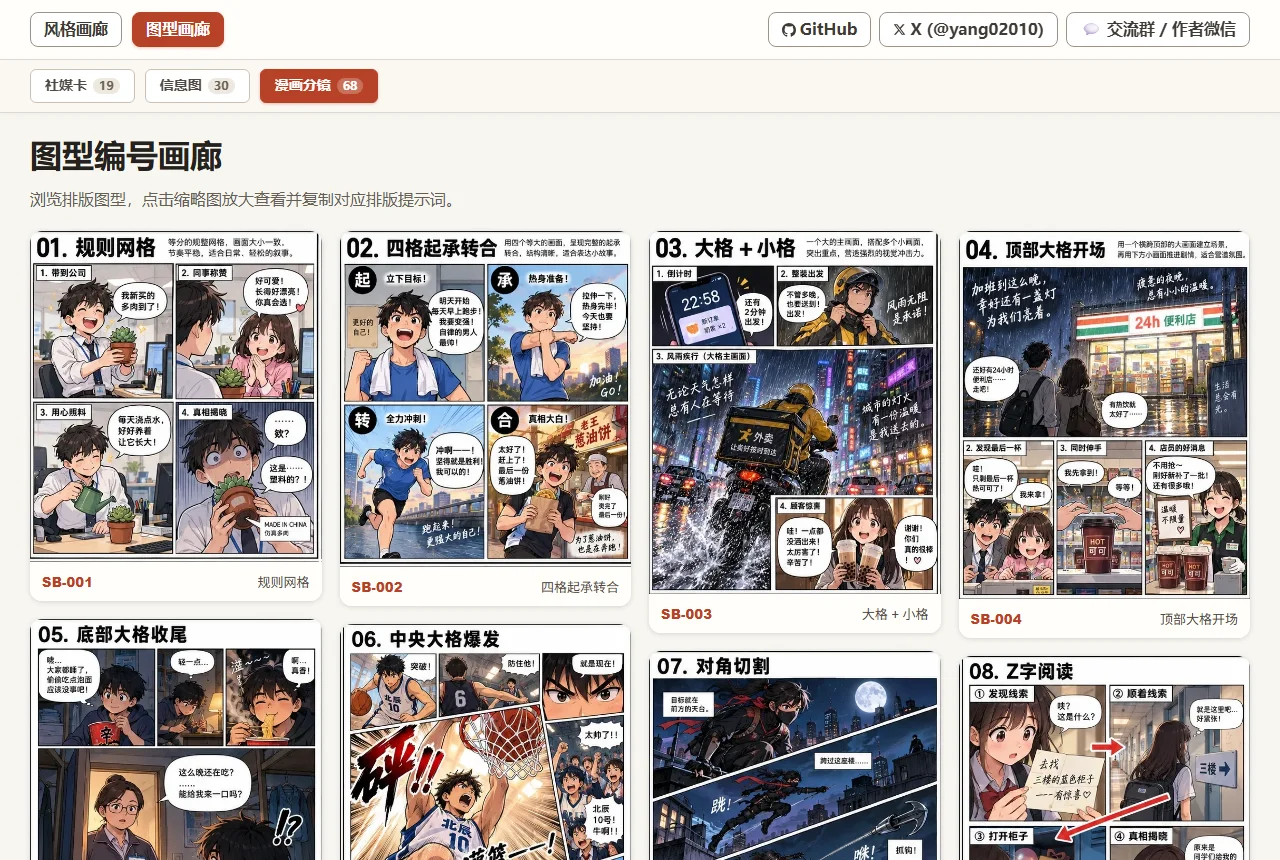
In addition to 331 illustration styles, this library includes 165 composition layout patterns, covering social cards, data infographics, multi-panel storyboards, IP design, and e-commerce. Combine any style with any layout with a single command.
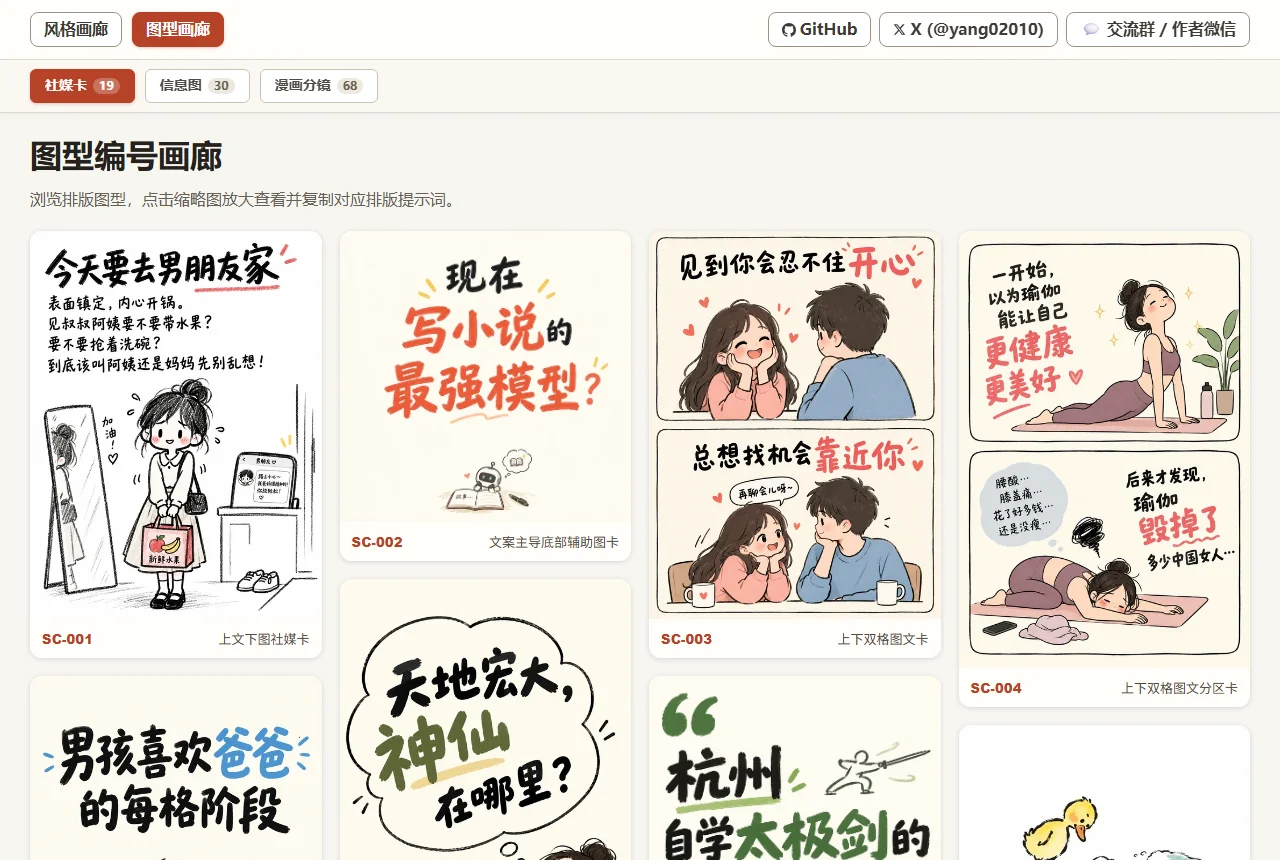
1. Social Cards (21 Layouts)
Ideal for Xiaohongshu, Instagram, quote cards, signature showcases, and social media carousels. Includes top-bottom split, text-driven cards, two-column contrasts, signature showcase grids, and sticky notes.
Ideal for knowledge breakdowns, comparison checklists, step-by-step processes, and structured data visuals. Includes hierarchy pyramids, central icons, matrices, and multi-column comparison tables.
Ideal for multi-panel narratives, webtoons, emotional storylines, and cinematic pacing. Includes standard 4-panel grids, dramatic wide-angle focus, diagonal cuts, and manga storyboards.
💻 (For offline interactive search and category filtering, open skills/handdraw-style-prompter/gallery/layouts.html in your local browser)
Classic Monochrome Colors Showcase (36 Colors)
This library curates 36 classic monochrome theme colors (numbered C-01 ~ C-36, covering Classic Blue, Fresh Green, Vintage Red & Classical, Romantic Pink & Purple, Warm Sun & Earth, and Classic Neutral Tones).
No matter what illustration style or layout composition you choose, specifying a theme color instantly establishes a cohesive visual tone. You can also copy individual color prompts with one click in the offline gallery.
This project is licensed under the MIT License with an explicit attribution requirement. You are welcome to freely use, modify, and commercialize.
The only request: if this project is helpful to you, or if your project is based on secondary development of this work, please retain credit to author yang0 and the original repository link: https://github.com/yang0/handraw-style.