Three projects with staged starters, reference implementations, and local graders. Run commands from the repository root after setup. Starters fail until you implement the stages.
A candidate improves mean NDCG while one query ranks its most relevant evidence lower. Build a query-by-query comparison that reports the regression and can fail a release check.
Use Python 3.10+. Review RAG and model evaluation. Implement ranking validation, precision and recall, rank-sensitive metrics, then system comparison.
Keep: a reproducible comparison with per-query deltas and the judgments used to score them. Metrics describe those judgments; they do not establish answer correctness.
A supplied trace still takes 100 ms, but total token usage rises by 200 and one span starts failing. Separate overlapping child work from parent execution time, then produce a report that exposes the change.
Use Node.js 22.18+ and Python 3 for the grader. Implement JSONL parsing, parent validation, interval arithmetic, then an inspectable timeline.
Keep: the input trace, an HTML timeline, and a JSON regression report. Preserve exclusive per-span token counts so parent and child usage are not counted twice.
03 · Tool Call Firewall · Rust · Role checks and approval receipts
A write changes after review, or an approval is replayed. Validate the call envelope, check the caller's role and path, then consume an approval bound to the exact request and content.
Use Rust and Python 3.10+. Review tool schema design and security boundaries. The caller application supplies identity; the model proposes an operation.
Keep: an audit receipt showing the requested operation and the policy decision. Approvals are single-use within one invocation; this project does not provide persistent authorization or an operating-system sandbox.
If Node.js, npx, and a skill-capable coding agent are already installed, your coding agent can become your tutor. A repository clone is not needed to install or read the tutor. Runnable focused-path labs need python3. Agent Skills host labs also need a selected host and a writable user or project skill scope.
Choose the host and scope when the installer asks. Use start-learning in Codex, /start-learning in Claude Code, or ask your host to use the skill by name.
Tutor setup and host commands
Check the local requirements first:
node --version
npx --version
python3 --version
skills writes to the host and scope selected during installation, such as
.claude/skills/, .cursor/skills/, .codex/skills/, or another supported
skills folder. Verify that the selected host discovers that exact destination.
Invocation syntax belongs to the host, not to the portable SKILL.md format:
Host
Start the course
Start Model Context Protocol (MCP)
Start Agent Skills
Run a phase quiz
Codex
start-learning, or choose it from /skills
learn-mcp, or choose it from /skills
learn-agent-skills, or choose it from /skills
check-understanding 13, or choose it from /skills
Claude Code
/start-learning
/learn-mcp
/learn-agent-skills
/check-understanding 13
Other compatible hosts
Use start-learning to begin the course.
Use learn-mcp to start the Model Context Protocol (MCP) path.
Use learn-agent-skills to start the Agent Skills Engineering path.
Use check-understanding to quiz me on Phase 13.
A ten-question placement quiz maps what you already know to a starting phase and
saves a personalized study plan to LEARNING.md. From there, the learn skill
teaches one lesson per session: concept, math, code, quiz. It streams lessons
straight from this repo, and the course-guide skill jumps you to the exact
lesson that covers anything you are stuck on. In Codex, invoke these skills with
learn and course-guide; in Claude Code, use /learn and /course-guide;
in other compatible hosts, ask to use the skill by name.
Only want Model Context Protocol (MCP)? Use the MCP invocation for your host. It creates
MCP-LEARNING.md and follows one 17-lesson route through stateless
requests, transports, bidirectional work, security, reliability, registry
governance, and conformance evidence. The exact order and checkpoints live in
the Model Context Protocol (MCP) manifest.
Only want Agent Skills? Use the Agent Skills invocation for your host. It
creates AGENT-SKILLS-LEARNING.md and follows one coherent five-lesson route:
contract, discovery, invocation, sandbox boundaries, then release evals and
real-host portability. Start on the web with the
Agent Skills path.
The installer lists the hosts it can configure and asks where to install. If
you do not have Node.js, npx, python3, a supported host, or a writable
scope yet, use the website or read docs/en.md manually. That path teaches the
concepts, but real-host discovery, invocation, script, and uninstall evidence
remains pending until the preflight is available. Read the lessons at
aiengineeringfromscratch.com.
Focused Model Context Protocol (MCP) tutor. Creates MCP-LEARNING.md, follows the 17-lesson manifest, and records wire, security, reliability, and conformance evidence.
Focused Reverse Engineering tutor. Creates REVERSE-ENGINEERING-LEARNING.md, teaches Phase 13 lessons 32 to 45 on programs you build yourself, and records lab evidence.
MCPA tutor. Follows the 34-lesson mcpa-f route on the 2026-07-28 protocol; teaches each lesson; runs labs and the wire checker; administers the diagnostic and three mocks; saves progress.
Per-phase quiz, eight questions, with feedback and specific lessons to review. Use the Codex, Claude Code, or natural-language form in the invocation table above.
The preflight separates requirements needed now from tools needed later. Every
required failure includes the detected reason and a corrective command. The
vectors.py command is a dependency-free lesson and ends by showing that a matrix
times a vector is the operation inside a neural network layer. Save that
terminal output as your first evidence.
Use every lesson the same way
Use every lesson the same way
Readdocs/en.md and explain the core idea in your own words.
Type and build the important code instead of treating the code block as decoration.
Run the lesson command from the repository root, the directory containing README.md and phases/.
Keep evidence: the command, working directory, exit code, meaningful output, and the artifact you changed or produced.
Continue only when you can explain the output and make one small change without guessing.
Commands in lesson pages are paths from the repository root unless the lesson
explicitly says to change directories. If a lesson offers several languages,
run the implementation for the language you are learning.
Choose a learning path
You do not need to scan 542 lessons before beginning. Pick one goal. Each link
opens the same curriculum on GitHub or the website, and both versions use the
same lesson code.
Twenty phases stack on top of each other. Math is the floor. Agents and production are the roof.
Skip ahead if you already know the lower layers, but don't skip and then wonder why something at
the top is breaking.
Lessons 06-18 and 28-31 form the focused
Model Context Protocol (MCP) path. Its manifest order
is 06, 07, 08, 09, 10, 11, 12, 13, 14, 15, 16, 18, 17, 28, 29, 30, 31. Start
it with the host-specific learn-mcp invocation above. Lesson 23
is its only optional capstone and also requires Lessons 19 and 20.
Lessons 22 and 24-27 form the focused
Agent Skills learning path, from package
contract through real-host release gates. Start it with the host-specific
learn-agent-skills invocation shown above; do not follow numeric next
navigation from 22 to 23.
Phase 14 — Agent Engineering54 lessonsBuild agents from first principles, use coding agents reliably, and shape the work before implementation.
Each Phase 14 workbench lesson (31-42) ships a mission.md briefing the agent before it opens the full lesson docs.
Lessons 31-46 form the Agent-Assisted Engineering path.
Its manifest order combines the workbench foundation with task framing, planning,
delegation, and durable feedback. Lessons 47-54 form the
Product Judgment and Delivery path, from outcome framing
through evidence, risk, scope, measurement, staged release, and feedback ownership.
Phase 15 — Autonomous Systems22 lessonsLong-horizon agents, self-improvement, and the 2026 safety stack.
The 20-phase core curriculum under phases/ compiles into a six-volume book series. EPUB and PDF are built by CI from the same core lesson sources and attached to every GitHub release; the links below always resolve to the newest release. Volume numbers index the series, not versions: each copy carries a dated edition stamp, and older editions stay downloadable from their release.
Certification curricula are intentionally not converted into the books. Their
AI tutor state, runnable labs, interactive figures, diagnostics, and timed mocks
remain first-class on GitHub and the website.
Vol
Title
Phases
Download
1
Foundations · Math, Tooling, and Classical Machine Learning
The book is the snapshot; this repository is the living edition. Every chapter ends with links back to the lesson's animated figures, quiz, and runnable code. Build locally with python3 scripts/build_book.py (pandoc required); pipeline details in book/README.md.
Prepare for Claude certifications
The Claude Certification Academy is a free,
open-source preparation program for all four official Claude certification tracks:
Associate Foundations, Developer Foundations, Architect Foundations, and Architect
Professional. Each route combines blueprint-mapped lessons, runnable labs, a
diagnostic, capstone work, and a full-length original practice exam.
Use the AI-native GitHub onboarding guide
with Claude Code, Codex, ChatGPT, Cursor, or another agent. Run
claude-certification in Codex, /claude-certification in Claude Code, or ask
another host to use claude-certification. It chooses a track, creates a
persistent route in CLAUDE-CERTIFICATION.md, teaches one step at a time, runs
the real labs, and gives artifact-based feedback. The same curriculum remains
available on the certification website.
The academy is independent study material based on public exam objectives. It is not
affiliated with Anthropic, does not reproduce live exam questions, and cannot guarantee
a passing score.
Prepare for MCP Associate (MCPA)
The MCPA Certification Curriculum is a free,
open-source preparation program for the Model Context Protocol Associate exam from the
Agentic AI Foundation, delivered through Linux Foundation Training. Its 34 lessons teach
the stateless 2026-07-28 protocol across the five exam domains: per-request _meta and
server/discover in place of the old handshake, multi round-trip requests, subscriptions,
caching, the tasks and MCP Apps extensions, OAuth authorization, and the registry and SDK
tiers. Every lesson ships a runnable standard-library lab whose transcript is checked for
the current wire shape, and the track adds a diagnostic, a capstone, and three full-length
original practice exams whose question mix follows the published blueprint weights.
Use the AI-native GitHub onboarding guide with
Claude Code, Codex, ChatGPT, Cursor, or another agent. Run mcpa-certification in Codex,
/mcpa-certification in Claude Code, or ask another host to use mcpa-certification. It
creates a persistent route in MCPA-CERTIFICATION.md, teaches one step at a time, runs
the real labs, and gives artifact-based feedback. The same curriculum is available on the
MCPA track page.
This curriculum is independent study material based on public exam objectives. It is not
affiliated with the Agentic AI Foundation or the Linux Foundation, does not reproduce
live exam questions, and cannot guarantee a passing score.
The toolkit
Every lesson produces a reusable artifact. Install one in your agent or use the scripts below from the repository root.
Lesson structure and reusable artifacts
The shape of a lesson
Each lesson lives in its own folder, with the same structure across the entire curriculum:
Every lesson follows six beats. The Build It / Use It split is the spine — you implement the
algorithm from scratch first, then run the same thing through the production library. You
understand what the framework is doing because you wrote the smaller version yourself.
%%{init: {'theme':'base','themeVariables':{'primaryColor':'#fafaf5','primaryTextColor':'#1a1a1a','primaryBorderColor':'#3553ff','lineColor':'#3553ff','fontFamily':'JetBrains Mono','fontSize':'13px'}}}%%
flowchart LR
M["MOTTO<br/><sub>one-line core idea</sub>"] --> Pr["PROBLEM<br/><sub>concrete pain</sub>"]
Pr --> C["CONCEPT<br/><sub>diagrams & intuition</sub>"]
C --> B["BUILD IT<br/><sub>raw math, no frameworks</sub>"]
B --> U["USE IT<br/><sub>same thing in PyTorch / sklearn</sub>"]
U --> S["SHIP IT<br/><sub>prompt · skill · agent · MCP</sub>"]
Every lesson ships something
Other curricula end with "congratulations, you learned X." Each lesson here ends with a
reusable tool you can install or paste into your daily workflow.
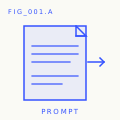
FIG_001 · A PROMPTS
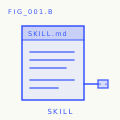
FIG_001 · B SKILLS
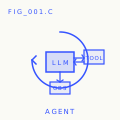
FIG_001 · C AGENTS
FIG_001 · D MCP SERVERS
Paste into any AI assistant for expert-level help on a narrow task.
Drop into Claude, Cursor, Codex, OpenClaw, Hermes, or any agent that reads SKILL.md.
Deploy as autonomous workers — you wrote the loop yourself in Phase 14.
Plug into any MCP-compatible client. Built end-to-end in Phase 13.
Install lesson artifacts
The lesson artifacts. The repo ships 414 skills and 100 prompts under
phases/**/outputs/; install them via scripts/install_skills.py. Requires
cloning the repo. Supports tag filters, dry-runs, and per-agent layouts:
python3 scripts/install_skills.py <target>                                 # every skill, default --layout skills (nested)
python3 scripts/install_skills.py <target> --layout skills                 # same as above, explicit
python3 scripts/install_skills.py <target> --type all                      # skills + prompts + agents
python3 scripts/install_skills.py <target> --phase 14                      # one phase only
python3 scripts/install_skills.py <target> --tag rag                       # filter by tag
python3 scripts/install_skills.py <target> --layout flat                   # flat files
python3 scripts/install_skills.py <target> --dry-run                       # preview without writing
python3 scripts/install_skills.py <target> --force                         # overwrite existing files
<target> is the skills directory for your agent (examples:
~/.claude/skills/, ~/.cursor/skills/, ~/.config/openclaw/skills/,
.skills/, or any path your agent reads).
By default the script refuses to overwrite an existing destination and exits
with code 1 after listing every colliding path. Use --dry-run to preview
collisions or --force to overwrite. Every non-dry-run run writes a
manifest.json in the target with the full inventory grouped by type and
phase. Pick the layout your agent reads:
--layout
Path written
skills
<target>/<name>/SKILL.md (nested convention, supported by Claude / Cursor / Codex / OpenClaw / Hermes)
by-phase
<target>/phase-NN/<name>.md
flat
<target>/<name>.md
Drop the agent workbench into your own repo
The Phase 14 capstone ships a reusable Agent Workbench pack (AGENTS.md, schemas,
init / verify / handoff scripts). Scaffold it into any repo with:
You get the seven workbench surfaces wired up, a starter task_board.json,
and a fresh agent_state.json at schema_version: 1. From there: edit the
task, edit AGENTS.md, run scripts/init_agent.py, hand the contract to
your agent. The pack source lives at
phases/14-agent-engineering/42-agent-workbench-capstone/outputs/agent-workbench-pack/.
Browse the entire course as JSON
scripts/build_catalog.py walks every phase, every lesson, every artifact on
disk and writes catalog.json at the repo root. One file, every course truth.
python3 scripts/build_catalog.py               # writes <repo>/catalog.json
python3 scripts/build_catalog.py --stdout      # to stdout, do not touch repo
python3 scripts/build_catalog.py --out path/to/file.json
The catalog is filesystem-derived, not README-derived, so counts always match
what is actually on disk. Use it for site builds, downstream tooling, or to
verify the README counts have not drifted. Schema is documented at the top of
the script.
The curriculum workflow builds catalog.json as an ephemeral, gitignored
artifact. Do not commit it. The same workflow runs audit_lessons.py as a
blocking check.
Smoke-check every lesson's Python code
scripts/lesson_run.py byte-compiles every .py file under each lesson's
code/ directory. Default mode is syntax-check only — no execution, no API
keys, no heavy ML deps required. Catches the regressions contributors
introduce most often (bad indentation, broken f-strings, stray edits).
python3 scripts/lesson_run.py                  # syntax-check the whole curriculum
python3 scripts/lesson_run.py --phase 14       # one phase only
python3 scripts/lesson_run.py --json           # JSON report on stdout
python3 scripts/lesson_run.py --strict         # exit 1 if any lesson fails
python3 scripts/lesson_run.py --execute        # actually run, 10s timeout per lesson
--execute runs each lesson's code/main.py (or the first .py file) with a
10-second timeout. Lessons whose entry file starts with a # requires: pkg1, pkg2 comment listing non-stdlib deps are skipped with reason needs <deps>.
The script is opt-in and not wired into CI.
Stdlib only, Python 3.10+. Set LINK_CHECK_SKIP=domain1,domain2 to override
the default skip-list (twitter.com, x.com, linkedin.com,
instagram.com, medium.com — domains that aggressively block automated
HEAD/GET).
Foundational papers and protocols
Attention Is All You Need — Vaswani et al., 2017 → Phase 7
Language Models are Few-Shot Learners (GPT-3) → Phase 10